


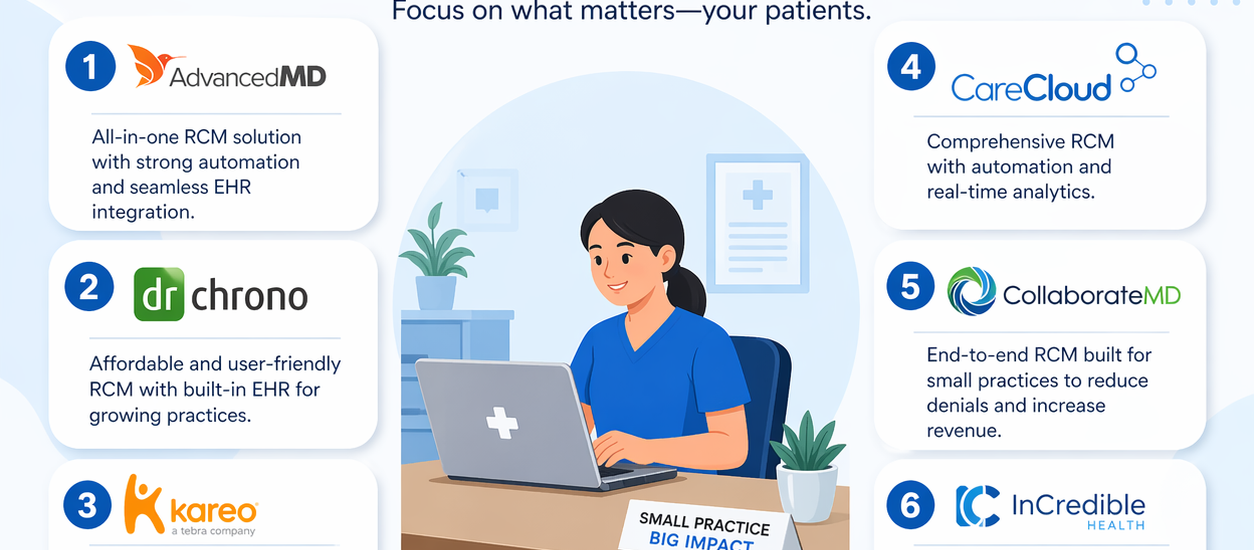
Running a small medical practice is honestly no joke. Between seeing patients, managing staff, and keeping up with ever-changing insurance rules, your billing workflow can quietly fall apart before you even notice. That is exactly why picking the right RCM software for small practices is one of the most critical business decisions you will make this year.
Revenue cycle management (RCM) covers everything from patient registration and insurance verification to claim submission, denial management, and final payment collection. When this process breaks down, your cash flow suffers. When it runs smooth, your practice thrives.
So let us break it all down. No fluff. Just real, actionable guidance so you can choose the right platform and start recovering every dollar you have rightfully earned.
Why Small Practices Need Dedicated RCM Software
A lot of independent providers still try to manage billing manually or use outdated systems. That approach costs more than most people realize.
According to industry data, the average claim denial rate in healthcare sits between 5% and 10%. For a small practice, even a 7% denial rate can mean thousands of dollars in lost revenue every single month. On top of that, administrative complexity remains one of the top burdens on independent physicians, with billing tasks eating into hours that should go toward patient care.
Modern RCM software for small practices solves these problems by automating the most error-prone steps in the revenue cycle. Specifically, it handles:
- Real-time insurance eligibility verification before the patient even walks in
- Automated claim scrubbing to catch errors before submission
- Smart denial management workflows that flag and resubmit rejections fast
- Patient payment portals that make collecting balances easier
- Detailed financial dashboards so you always know where your money stands
The bottom line is this: small practices that invest in the right RCM platform typically see faster reimbursements, fewer denials, and significantly reduced administrative overhead. That is a triple win.
Key Features to Look for in RCM Software for Small Practices
Not every RCM platform is built with a solo provider or a two-physician clinic in mind. Enterprise-level tools are powerful but often overly complex and expensive for smaller operations. So before you commit to anything, make sure the software checks these boxes.
Ease of Use and Fast Onboarding
Small practices rarely have dedicated IT teams. Therefore, your RCM software needs to be intuitive right out of the box. Look for platforms with clean dashboards, simple navigation, and strong customer support. If the onboarding process drags on for months, you are looking at lost productivity and lost revenue during that transition window.
Cloud-based RCM tools typically offer the fastest setup, often getting small practices up and running within a few weeks rather than several months.
Integrated EHR and Practice Management
The best medical billing software for small practices does not force you to jump between multiple systems. When your EHR, practice management, and billing platform live under one roof, your team spends less time on data entry and more time on actual patient care.
Integrated systems also reduce coding errors significantly because clinical notes flow directly into the billing workflow without manual re-entry. That alone can improve your first-pass claim acceptance rate dramatically.
Automated Claim Scrubbing and Submission
Manual claim submission is a recipe for delays and denials. Top-tier RCM software runs every claim through a rules-based scrubbing engine before submission, catching common errors like incorrect diagnosis codes, missing modifiers, or mismatched patient data. Some platforms now report first-pass acceptance rates as high as 98%, which means fewer denied claims sitting in a queue and faster cash in your account.
Denial Management and Appeal Workflows
Even with the best scrubbing tools, some claims will still get denied. What separates great RCM software from mediocre ones is how they handle that reality. Look for platforms that automatically categorize denials, alert your billing team, and initiate appeal workflows without requiring manual tracking.
Strong denial management tools also provide analytics showing you why claims are getting denied, so you can fix root-cause issues before they become expensive patterns.
Transparent Pricing That Fits a Small Budget
Cost is always a consideration for independent providers. Most cloud-based RCM for solo providers operates on either a percentage-of-collections model (typically 3% to 7%) or a flat monthly fee per provider. Both structures can work well depending on your practice volume. Just make sure you understand exactly what is included and what costs extra before you sign anything.
Top RCM Software Options for Small Practices
Here is a practical breakdown of the platforms that consistently rank as the best choices for small and independent medical practices.
Tebra (Formerly Kareo)
Tebra is arguably the most well-known name when it comes to RCM software for small practices. Built specifically for small clinics and solo providers, it prioritizes billing simplicity and fast onboarding. Its cloud-based dashboard makes claim tracking straightforward, and the platform integrates billing, scheduling, and patient communication in one place.
Tebra works especially well for practices that want a no-frills, affordable entry point into automated billing without a steep learning curve. It is popular among independent physicians in primary care, mental health, and specialty settings.
DrChrono
DrChrono takes a mobile-first approach that sets it apart from the competition. Originally built around its iOS app, it allows providers to chart notes, send prescriptions, and manage billing from an iPad or iPhone. For small practices that value flexibility and on-the-go access, DrChrono is a genuinely strong option.
Its integrated EHR and billing suite covers eligibility verification, claim scrubbing, and payment posting. DrChrono pricing starts around $199 per provider, making it competitive for small operations.
athenaOne
If you want enterprise-level RCM power in a package that works for smaller practices, athenaOne is worth a serious look. It consistently earns top rankings across multiple specialties and delivers an industry-leading clean claim submission rate. Its network-wide billing rules engine proactively flags issues before they become denials, and the real-time eligibility checking helps prevent front-end errors from the start.
athenaOne is slightly pricier than some alternatives, but for practices ready to invest in a high-performance revenue cycle platform, the ROI tends to justify the cost.
AdvancedMD
AdvancedMD offers a fully cloud-native RCM platform with strong automation capabilities. It handles end-to-end billing, from claims submission and denial management to patient payment tracking and financial reporting. The platform scales well, which makes it a smart choice for small practices planning to grow.
AdvancedMD also offers a full suite of specialty-specific workflow templates, which reduces customization time and gets your team productive faster.
NextGen Office
Designed specifically for practices with one to ten providers, NextGen Office combines EHR, practice management, and revenue cycle management software for small clinics in a single integrated solution. Its AI-powered ambient documentation tool saves providers significant charting time, and its dedicated client manager model means you always have a billing expert in your corner.
NextGen also offers a complimentary revenue analysis for practices that want to see exactly where they are leaving money on the table before committing to the platform.
PracticeSuite
PracticeSuite is a solid choice for practices that want a modular, scalable approach. You can start with just the billing module and expand into EHR and practice management as your needs grow. It supports over 150 medical billing specialties, which makes it versatile across a wide range of practice types. Its AI-powered denial intelligence and automated workflow tools are particularly strong for practices dealing with high claim volumes.
How to Choose the Right RCM Software for Your Practice
With so many solid options on the market, the decision really comes down to your specific situation. Here is a simple framework to help you think it through.
Start with your biggest pain point. If claim denials are draining your revenue, prioritize platforms with the strongest denial management and appeal automation. If your team is overwhelmed with administrative tasks, focus on tools with the best workflow automation and EHR integration.
Consider your growth trajectory. A solo provider who plans to stay solo has very different needs than a two-physician practice planning to add three more providers in the next two years. Pick a platform that fits not just where you are today but where you want to be.
Test before you commit. Most reputable affordable RCM software for healthcare providers offer free demos or trial periods. Use them. Your front desk staff and billing team will interact with this software every single day, so their buy-in matters as much as the feature checklist.
Evaluate customer support quality. For small practices without in-house IT, responsive and knowledgeable support is genuinely a dealbreaker. Look for platforms that offer dedicated account managers, 24/7 support channels, and strong onboarding assistance.
The Real Cost of Sticking With a Bad Billing System
Here is something most vendors will not tell you: the cost of the wrong RCM system is often far higher than the cost of the right one.
When a practice runs on a clunky or poorly integrated billing platform, staff spend hours on manual tasks that should be automated. Denials pile up and go unworked. Patients get confused by billing statements and delay or skip payments. Cash flow tightens. And eventually, the administrative burden starts affecting patient care quality.
Switching to the right EHR integrated billing software for small practices does not just improve your revenue cycle. It also reduces staff burnout, shortens payment cycles, and gives you the financial visibility you need to make smart business decisions.
Frequently Asked Questions
What is RCM software and why do small practices need it? RCM software manages the entire financial workflow of a medical practice, from patient registration and insurance verification to claim submission and payment collection. Small practices need it because manual billing is error-prone, time-consuming, and leads to higher denial rates and slower cash flow.
How much does RCM software cost for small practices? Pricing typically ranges from 3% to 7% of collections for percentage-based models, or $150 to $500 per provider per month for flat-fee plans. Some platforms like athenaOne start around $140 per month, while DrChrono begins at approximately $199 per provider.
Can a solo physician benefit from RCM software? Absolutely. Solo providers often benefit the most because they have the least administrative support. Cloud-based RCM tools handle billing tasks automatically, which frees up the provider and any support staff to focus on patient care rather than paperwork.
What is the difference between RCM software and medical billing services? RCM software gives your in-house team the tools to manage billing themselves. Medical billing services outsource the entire process to an external company. Many RCM platforms now offer hybrid models where the software does the heavy lifting and a managed service team handles escalations and complex denials.
How long does it take to implement RCM software in a small practice? Cloud-based solutions typically take two to six weeks for a small practice. Onboarding timelines depend on how many providers are involved, how much data needs to be migrated, and the complexity of your specialty workflows.
Which RCM software is best for solo providers? Tebra (formerly Kareo) and DrChrono are consistently top-rated for solo providers because of their simplicity, fast onboarding, and affordable pricing. athenaOne is an excellent choice for solo providers who want a high-performance system and do not mind a slightly higher investment.
Does RCM software integrate with EHR systems? Yes, most modern RCM platforms either include a built-in EHR or integrate seamlessly with popular third-party EHR systems. Integrated solutions are generally preferred because they reduce manual data entry and lower the risk of coding errors.
Final Thoughts
Finding the right RCM software for small practices is not just about picking the tool with the most features. It is about finding the platform that fits your workflow, your budget, and your growth goals. Whether you go with a simple cloud-based option like Tebra for its ease of use or invest in the robust capabilities of athenaOne, the goal is the same: cleaner claims, faster payments, and less time spent chasing denials.
Small practices deserve a revenue cycle that works as hard as they do. The right software makes that possible. Take the time to evaluate your options carefully, get hands-on with demos, and choose the platform that your team can actually use and trust every day.
Your patients depend on your practice staying financially healthy. The right RCM investment is how you make sure it does.